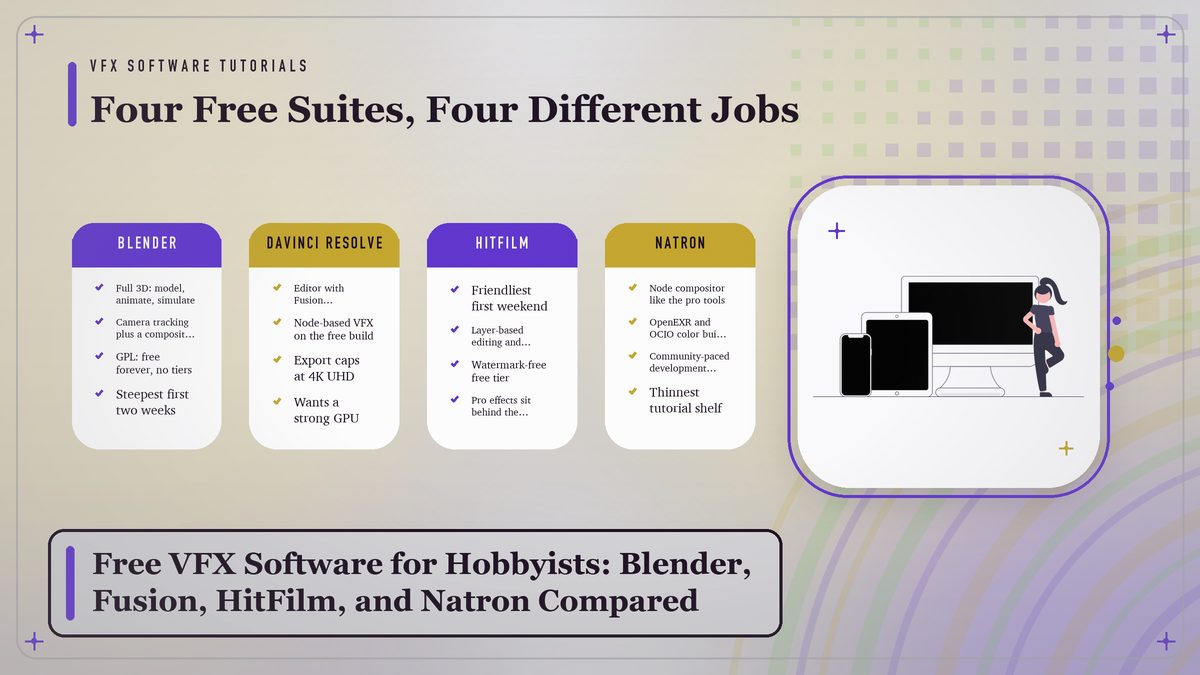
You don’t need a studio license to put a spaceship in your backyard footage. Four tools cover almost everything a hobbyist shoots, and all four cost zero dollars to start. This comparison sorts out what each one gives away for free and where the paywall hides, so you can decide which one deserves your first month.
A question that shows up in every filmmaking forum, usually at 1 a.m. from someone holding a half-finished shot: which free program should I learn? The replies tend to be loud and useless, because people defend whatever they learned first. I’ll try to do better than that. Four tools really matter for a hobbyist right now, and each one is free in a different way, with a different catch bolted on. See the catch clearly and the choice mostly makes itself. Roughly speaking, you’re picking between a 3D workshop, an editor with a compositor inside it, a gentle beginner all-in-one, or a pro-grade node compositor that asks more of you on day one.
One thing deserves saying up front. Free stopped meaning “toy” years ago; the software below has shown up in actual broadcast and festival work, not just YouTube sketches. For a long while, the thing holding your shots back will be practice hours. Everything else is ready.
What “Free” Actually Buys You
Three different business models hide behind the same price tag.
Every tool in this article costs nothing to download, and none of them mean the same thing by it. Blender and Natron are open source, free forever, with no higher edition holding features hostage. DaVinci Resolve gives away a full professional editor and compositor, then sells a Studio upgrade with the high-end finishing tools. HitFilm, owned these days by Artlist, runs freemium, with the core app free and a slice of the effects library parked behind Pro. None of these are tricks. They just fail in different places, and those places decide whether you’ll ever hit a limit at the worst possible moment, somewhere around week six of a project.
So the practical question isn’t “is it free?” It’s “what do I lose the day my project gets ambitious?” With Blender the answer is nothing. With Resolve, it’s 4K-and-up finishing plus some noise-reduction and effects tools. With HitFilm it’s specific effects and templates. Write the answer down before you sink a month of evenings into learning menus, because switching compositors mid-project is the hobbyist version of moving houses in the rain. I’ve done it. The boxes get wet.
Community is part of the price tag too, though it never shows up on the download page. Blender’s tutorial library is enormous, Resolve’s is large and professionally produced, HitFilm’s is friendly and aimed squarely at first-timers, and Natron’s is the thinnest of the four by a wide margin, which matters at 11 p.m. when something’s broken and you need a stranger’s screenshot to save you. Factor that in. I always do.
One more limit hides in the export dialog, where nobody looks until the project is finished. The free build of any tool decides which codecs, frame rates, and containers you’re allowed to write, and the differences are subtle enough to miss until an upload gets rejected or an editor friend asks for a ProRes file your version simply can’t produce. Codecs are plumbing. Boring and invisible, right up until it clogs. My advice is to learn one solid export recipe early, something in H.264 at a sane bitrate, and test it on the platform where the video will actually live before you commit to it for the whole project.
Blender: The Whole 3D Workshop
Blender is the only tool on this list that replaces an entire department. Modeling, sculpting, animation, physics simulation, camera tracking, and video editing all live in one download, and a node-based compositor sits in there too., maintained by the Blender Foundation under the GPL, which means nobody can buy it, sunset it, or move your favorite button behind a subscription. The features page lists the whole spread, and the short version is that a stubborn user can carry a short film from empty scene to final render without opening anything else at all.
For VFX work specifically, three pieces carry most of the weight. Camera tracking rebuilds the movement of your real footage so a CG object sits perfectly still on your desk. Eevee renders fast enough to preview, while Cycles handles the final frames with physically based lighting. And the Compositor tab takes care of cleanup chores like wire removal. The tracking workflow is the same family of tool that costs money everywhere else, and it holds up under real use. Tutorials exist for every step in numbers no commercial vendor could match, which is worth more than it sounds when you’re stuck at midnight with an inverted normal.
Expect renders to take a while. A ten-second effects shot at 1080p can mean hours of Cycles rendering on a mid-range card, spread across however many evenings that ends up being, which is exactly why Eevee exists for previews and why seasoned hobbyists learn to love their render queue like a slow cooker. Start the frame before bed. Check it with morning coffee. That rhythm stops feeling strange pretty quickly, and it beats staring at a progress bar, a pastime nobody in the history of the medium has ever enjoyed.
The cost is the learning curve, and I won’t pretend otherwise. Blender’s interface answers to twenty-plus years of accumulated design decisions, and your first week feels like a house where every light switch is in a different room. It clicks eventually. When it does, you own a professional skill, free and clear, and the 4.x releases keep adding depth without touching the price.
Blender is free the way a public library is free. Everything sits on the shelf; you just have to learn the catalog system.
DaVinci Resolve: The Editor With a Compositor Inside
Most people know DaVinci Resolve as the color-grading tool that swallowed the post-production industry, and the Wikipedia entry tracks that rise in detail. The part hobbyists care about is the Fusion page, a node-based compositor from the same family as the tools used on big-budget features, built into the free download. Cut your scene on the Edit page, jump one tab over, add the muzzle flash or the screen replacement, jump back. No round-tripping files between programs, no export-and-reimport ritual eating your evening.
Node-based compositing clicks fast once it clicks. Instead of stacking layers bottom-to-top like Photoshop, you describe the shot as a flow of operations, and the whole logic of the image sits visible at a glance. People find it intimidating for about three days, sometimes a week, and then refuse to go back. The free edition caps export resolution at 4K UHD and holds back a set of Studio-only effects along with noise reduction and HDR tooling. For web video and festival submissions, that ceiling stays far away for a long while.
Resolve’s other edge is proximity. Editing and color grading live in one project, with the VFX work in the same timeline, so your effects shots arrive already graded or get graded without ever leaving the project. That integration is the real reason to pick it over Blender if your projects are mostly “footage plus a handful of effects shots” rather than full-CG scenes. One warning, and I’d take it seriously: it wants a modern computer more than anything else on this list, and the installer is hefty.
HitFilm: The Beginner’s On-Ramp
HitFilm bundles a video editor and a layer-based compositor into one friendly interface, with a free tier that has no watermark and no meaningful export restrictions for web work. Where Blender greets you with a blank 3D void and Resolve with a colorist’s cockpit, HitFilm greets you with templates. Muzzle flashes, lightsaber blades, portal effects, ready-made and labeled in plain language, the kind of thing a first-timer can drop on a clip and show a friend before dinner.
That’s the real product, in my opinion. The tracker works, the matte tools hold up, the effects are decent, but the design philosophy is the thing. Everything lives on one timeline, effects stack directly on the clip, and a beginner can finish a scene the same weekend they install. For a teenager making a first fan film, or anyone whose eyes glaze over at the word “node,” this is the shortest road from idea to watchable result. The company’s own learning material is built for exactly that reader, which saves a lot of forum spelunking.
A trade-off arrives later. Serious compositing bumps into the ceiling of the layer model, some of the shinier effects sit behind the Pro upgrade, and the skills transfer less cleanly to professional pipelines than Blender or Fusion habits do. Fine by me. Nobody’s first program has to be their last. The first tool’s job is to carry you to a second tool, and HitFilm does that job better than anything else at the price.
Natron: The Pro Layout for $0
Natron is the pick almost nobody mentions and every forum regular should know about. It’s an open-source, node-based compositor, free forever, and its interface and logic follow the industry’s high-end tools closely. If you’ve watched a compositor work in Nuke and thought you’d like to learn that without the five-figure license, Natron is the answer. Same node graphs, same roto and matte-pulling workflows, same vocabulary, zero dollars.
Be straight with yourself about the caveats. Development moves in slow waves rather than a steady march, the plugin shelf is thin, and on some systems you’ll lose an afternoon to installation quirks before you composite a single pixel. Once it’s running it’s stable enough for real work, as far as I can tell, but it is plainly a community project rather than a product with a marketing department. Under the hood it speaks the same open standards as the paid tools, OpenEXR images and OpenColorIO color management, so what you learn there carries over to a studio seat later, which is rather the point of the exercise.
A hobbyist who’s already finished a project or two elsewhere and wants the professional workflow gets a bargain here. A total beginner should start somewhere friendlier and circle back once a real shot demands it.
The Map: Power vs. Learning Curve
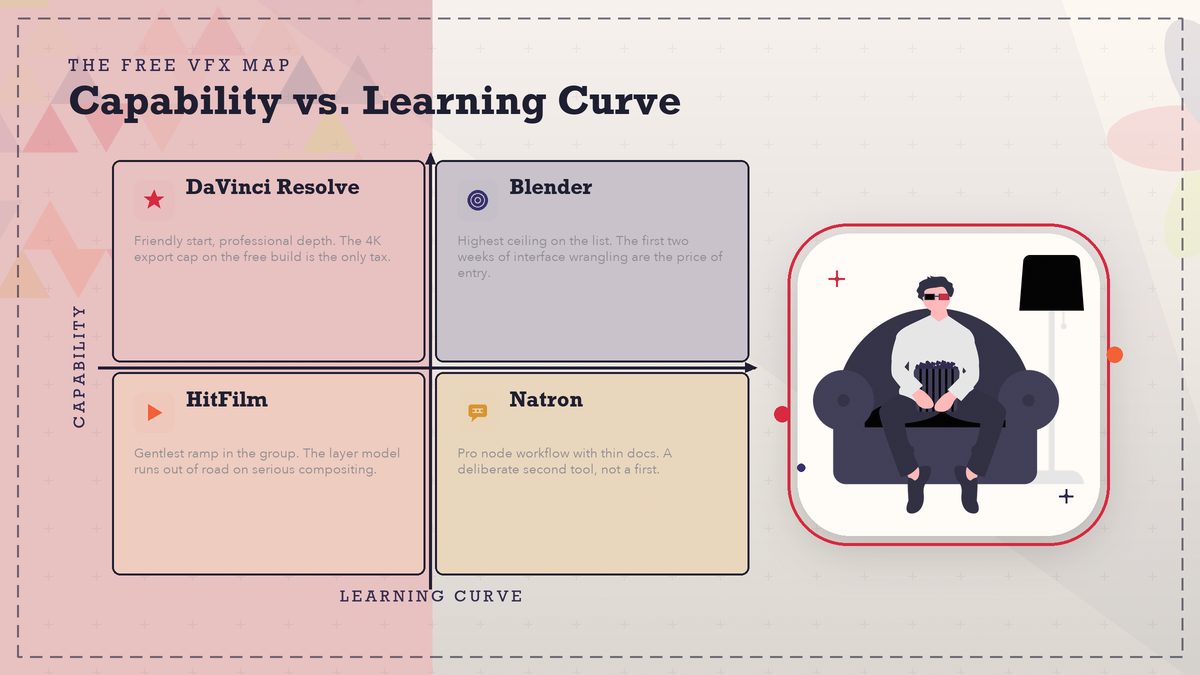
Plot the four on two axes, capability against what the software asks of you, and this whole article folds into one picture. Nothing sits in the easy-and-powerful corner, because that corner belongs to paid software with hundred-person teams. Every free tool gives something up. The map shows what.
Side by Side
| Tool | Best first project | Free-tier catch | Runs on |
|---|---|---|---|
| Blender | A CG object composited into your own footage | None; fully open source | Windows, Mac, Linux |
| DaVinci Resolve | A graded short with tracked-in effects shots | 4K UHD export cap; Studio-only effects | Windows, Mac, Linux |
| HitFilm | A template-driven action scene this weekend | Effects and templates locked behind Pro | Windows, Mac |
| Natron | A roto-and-matte shot in a node graph | Sparse plugins; uneven development pace | Windows, Mac, Linux |
Notice the table refuses to name a winner, because the question is malformed. The right tool is a function of the shot in your head right now. Also worth knowing: any two of these run side by side on one machine for zero dollars, and plenty of hobbyists cut in Resolve while building CG in Blender, passing shots between them. The tools cooperate better than the forum wars suggest. One combo I see a lot, and it works: Blender for the 3D, Resolve for everything else, Natron kept in a drawer until a shot needs its node surgery.
Where Free Tiers Hide the Paywall
The limits never announce themselves on the download page. They surface six weeks in, mid-project, and each tool hides them in a different place. Knowing the locations in advance is the entire point of this section.
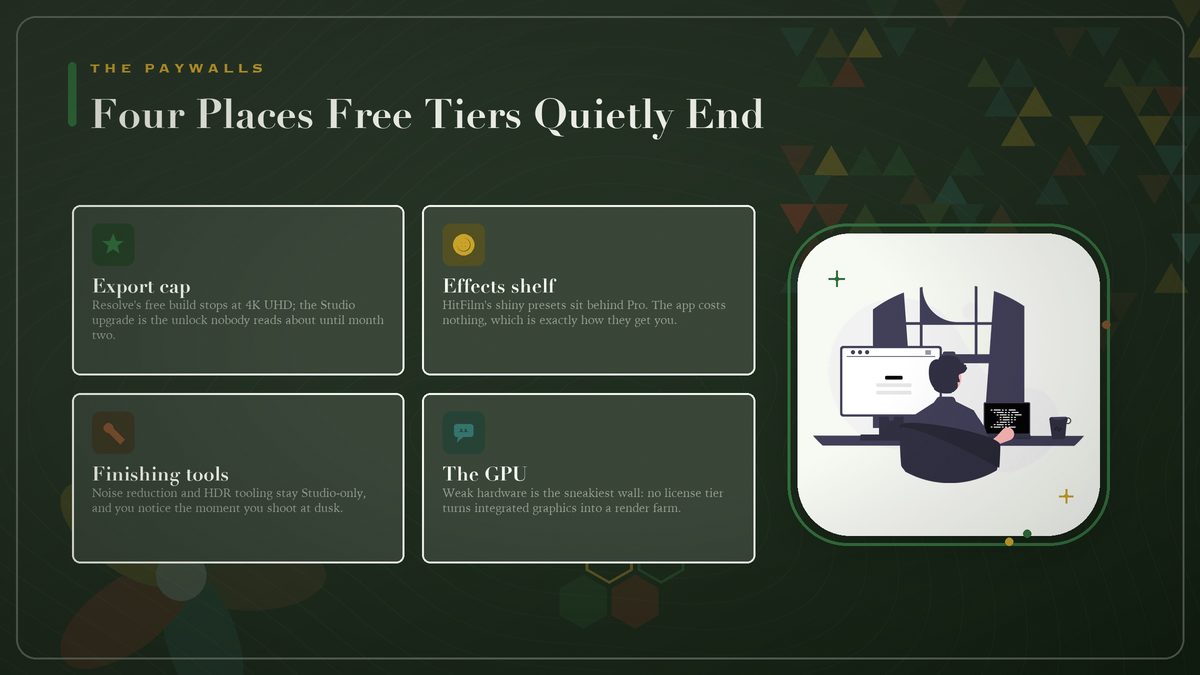
Resolution is the classic trap, and Resolve’s 4K UHD cap on the free build is the one everybody meets eventually. Split effects libraries are HitFilm’s version of the same wall. The app costs nothing, the shiny presets don’t, and the pricing page knows exactly which ones you’ll want. Hardware is the sneakiest limit because it isn’t a license at all, just physics. A composite that previews in real time on a modern card becomes a slideshow on integrated graphics, and no license tier fixes that.
This is also why “my computer is old” threads dominate every community. It’s the GPU, almost always.
There’s a softer limit, too, and it’s behavioral rather than technical. Every freemium app nudges; a locked effect renders with a watermark banner, an export preset sits grayed out with a tiny crown icon, and after the third project these little reminders wear you down into an upgrade you may not need yet. Sometimes that’s money well spent. Just make sure the tool earned it by finishing two or three real projects first, because a subscription bought out of frustration on a Tuesday rarely survives to the following Tuesday, and the canceled-app graveyard on every hobbyist’s hard drive proves it.
Pick by First Project, Not by Feature List
Feature lists lie by omission; they can’t rank themselves for your situation, and reading them rarely settles anything. The project in your head can. Work backwards from the shot you actually want to finish this month, and the decision makes itself.
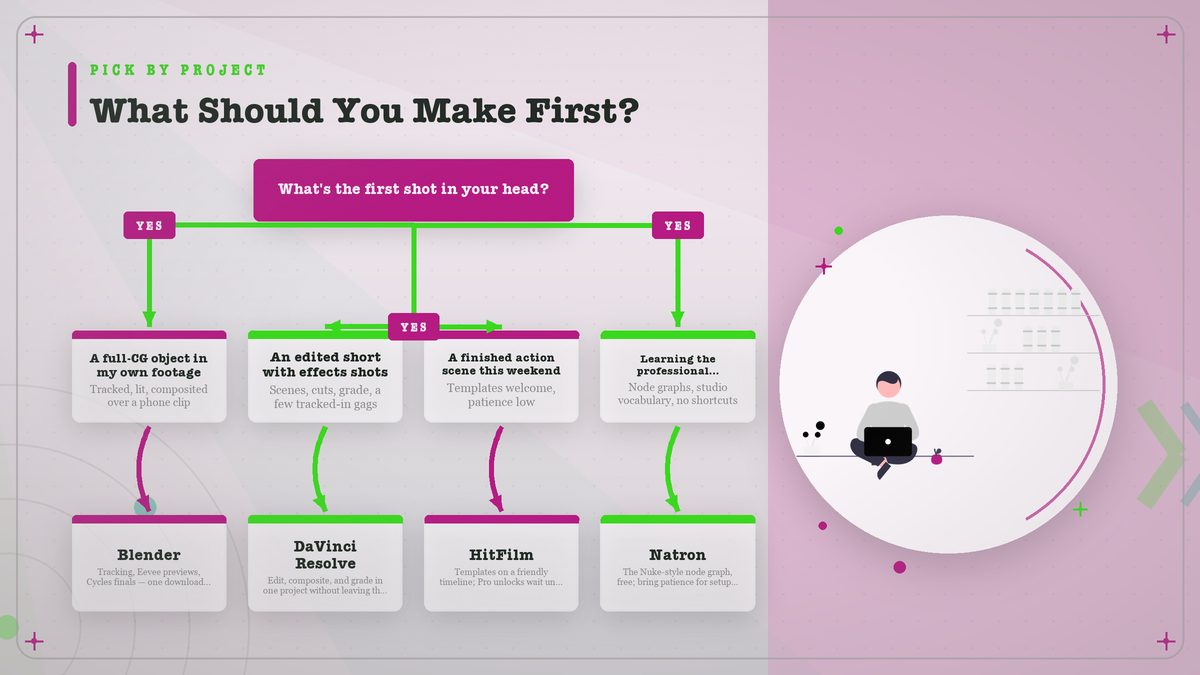
My actual advice: pick the project, install the tool the tree points to, and finish something small before touching a second program. The number of hobbyists with four compositors installed and zero finished shots is larger than you’d believe, and I say that with affection. I kept a Natron install around for the better part of a year before ever rendering a frame in it. Tools don’t make shots. Evenings do. And the shortest path to a better reel has never been a fifth download, no matter how good the demo footage looked.
Mistakes That Waste Your First Month
- Installing everything at once. Four half-learned tools lose to one finished project, every time. Pick one and close the download tab.
- Judging software by its default layout. Blender especially rewards ten minutes of interface rearranging. Do it once and the program stops fighting you.
- Skipping the boring fundamentals. Tracking, mattes, and roto are the load-bearing walls. Templates are curtains. Learn the walls first.
- Ignoring autosave and versioning. Free tools crash like expensive ones. Save incremental copies, or lose a Saturday to a corrupt file.
- Waiting for the “right” computer. A mediocre machine plus finished small shots beats a dream build plus nothing, and it isn’t close.
The layout point deserves more air than it gets, since people wave it off. Every professional workspace in every behind-the-scenes video is customized, because defaults are written for everyone, which means for no one. Fifteen minutes of drag-and-drop buys weeks of reduced friction. I keep a text file of every setting that survives an export, because three months later nobody remembers which denoise value worked, and re-deriving it costs an evening you could have spent shooting. Write them down somewhere boring, like a spreadsheet. Defaults reset after updates too, so the file earns its keep twice a year. Cheapest upgrade in this article, and the only one that works in every program on the list.
Where to Go Next
If this comparison sent you toward Blender, our walkthrough on your first VFX composite in Blender takes you from phone footage to a finished CG-object shot, step by step. If Resolve or HitFilm won you over, the same fundamentals appear in our green-screen removal walkthrough, where the concepts carry over even though the buttons differ. Either way, the pattern holds. Software and tutorials are free. The only scarce resource left is an evening you’ll spend rendering. Pick tonight’s project and start.
Sources: Blender · Blender — Features · Blackmagic Design — DaVinci Resolve · Wikipedia — DaVinci Resolve · Natron